Features

From manual edits to batch automation.

Use Aon Pro Studio as a scene editor when you want control, or hand off repetitive production steps to guided AI workflows. One-click now comes in three flavors - one-click, persona, and motion graphics - and the new high-quality production mode lets you design every shot.

These screens are captured from the actual desktop app. The free Basic plan opens the same screens, so you can inspect the real workflow yourself.

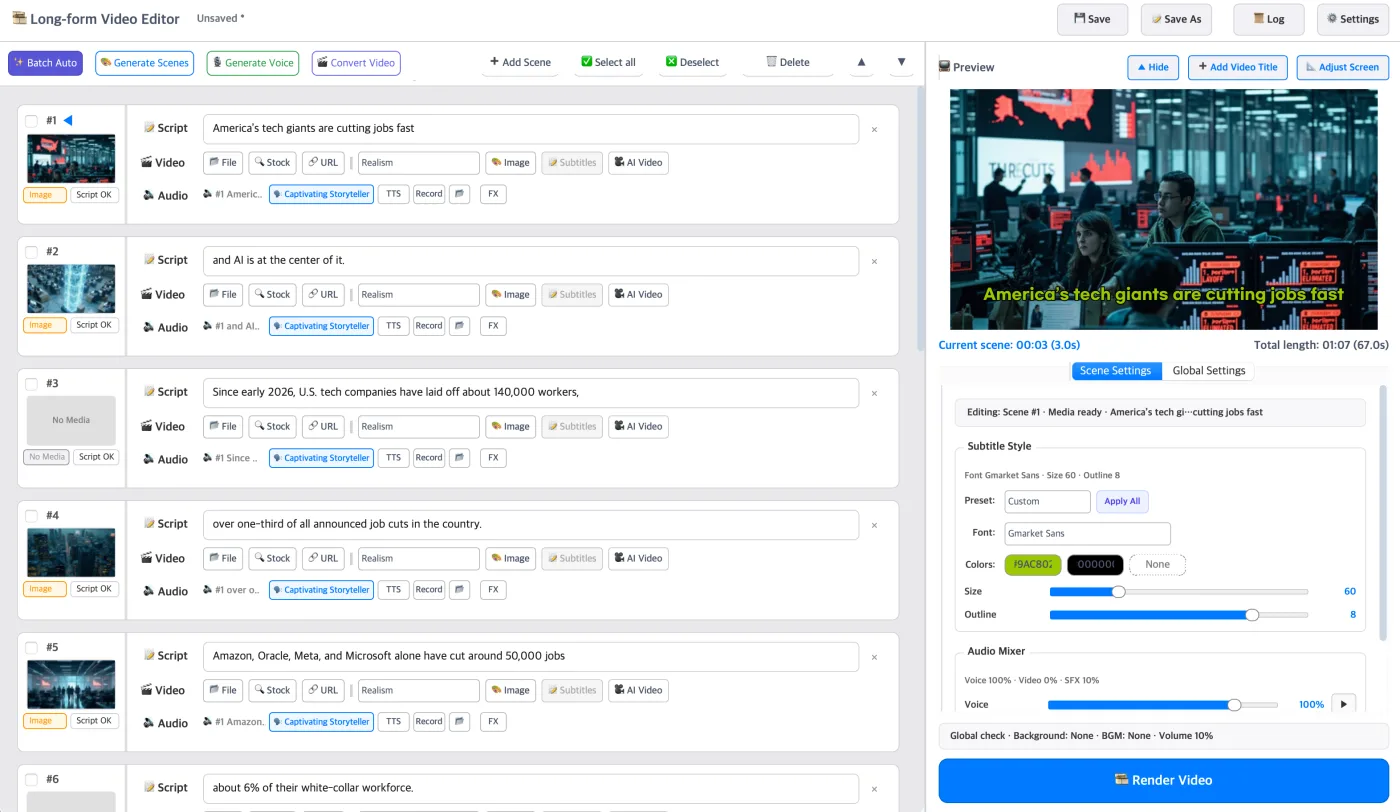
Aon Pro Studio video editor anatomy screen

Editor

Build scene-by-scene videos with AI assist.

Create 16:9 YouTube videos or 9:16 Shorts, manage every scene, use local files, stock media, URLs, AI images, TTS, recordings, subtitles, titles, BGM, audio mixing, framing controls, and final render settings from one production workspace.
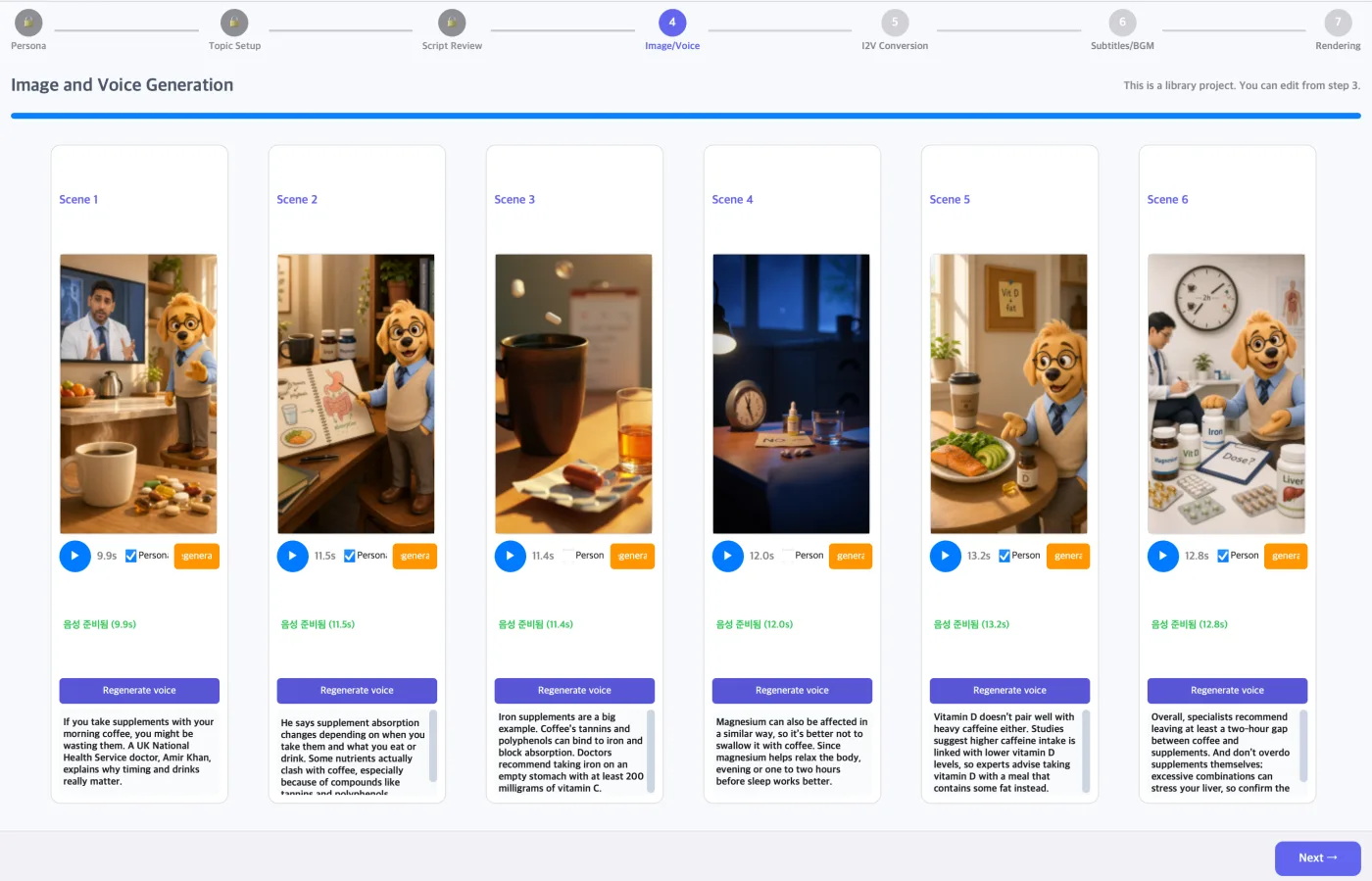
One-click worked example screen

One-click

Turn one topic line into Shorts and longform drafts.

Walk through script, image prompt, image, voice, subtitle, BGM, and render steps without rebuilding the workflow every time. Add a persona for a recurring character, or switch to motion graphics for style-sheet-driven infographic videos. Art styles are picked from side-by-side examples of the same scene, and image-to-video runs on Hailuo 2.3 Fast, H3 or H3 Max.

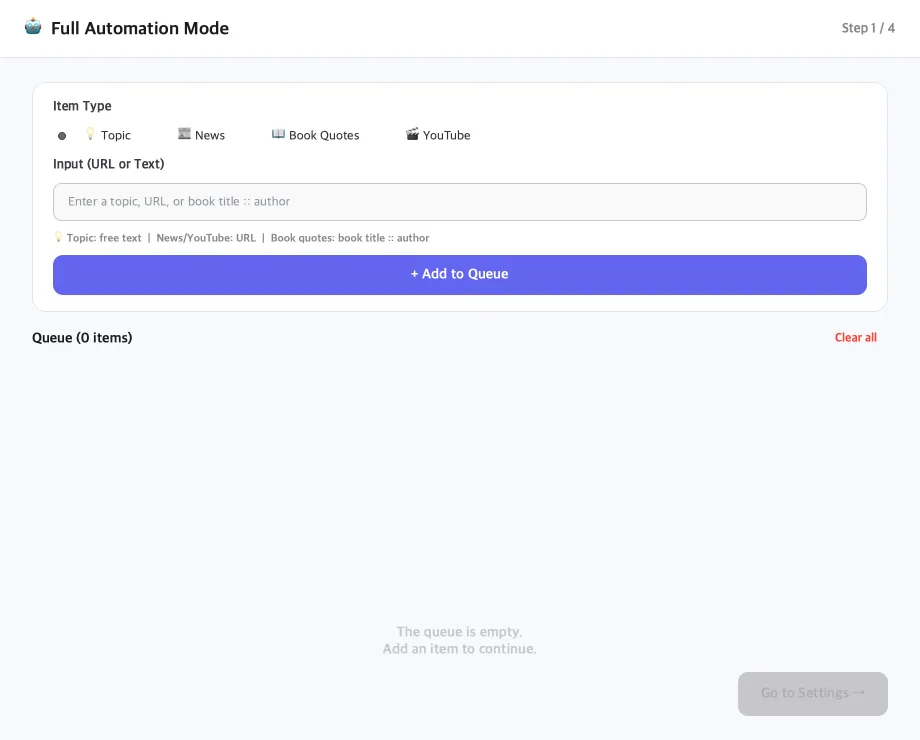
Full automation mode queue and processing screen

Full automation

Queue multiple ideas and process them in sequence.

Add topics, news URLs, YouTube URLs, or book quotes, then let the automation pipeline generate scripts, prompts, images, TTS, subtitles, and rendered outputs.

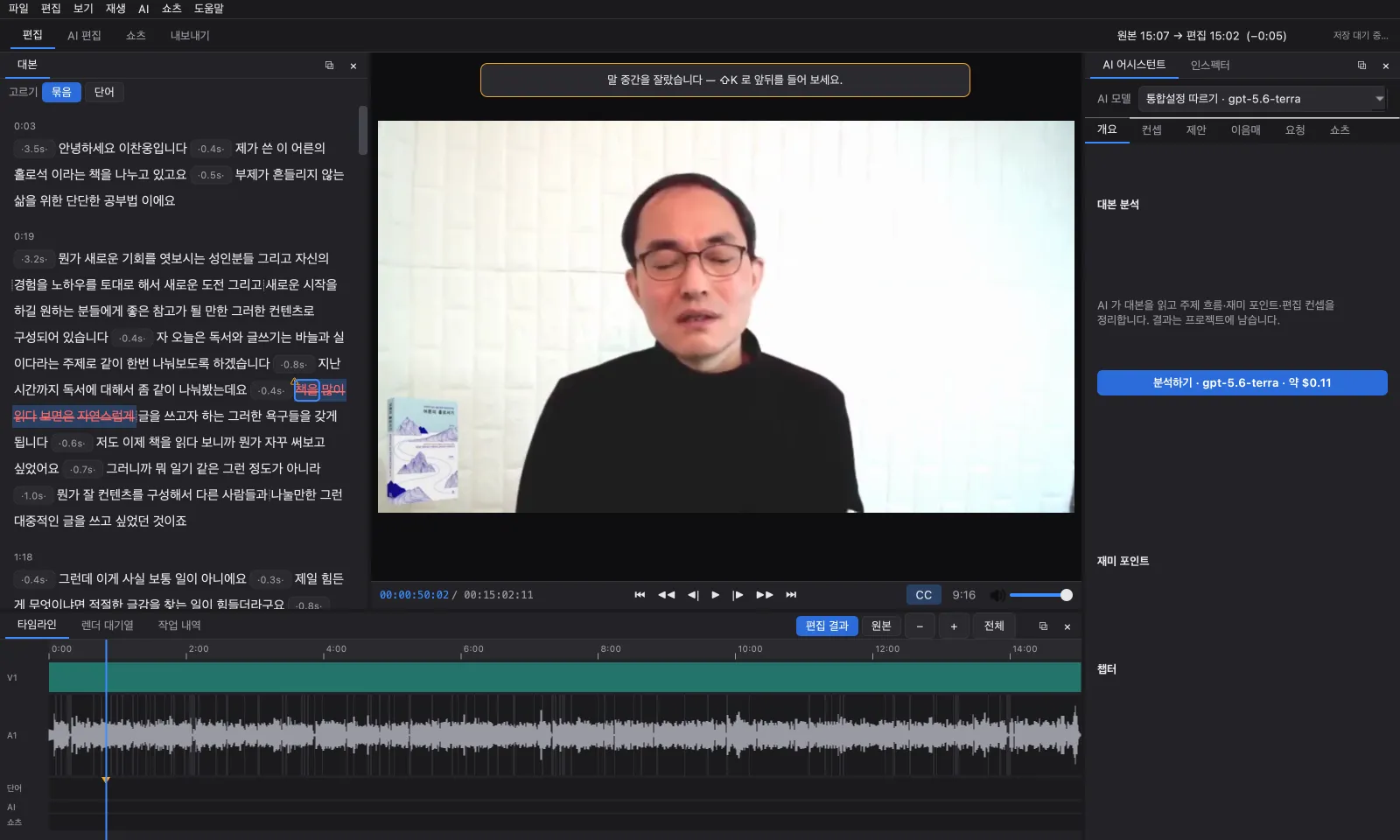
The AI Video Editor window. Deleted words in the transcript on the left are struck through in red, with the monitor in the middle and the timeline below

AI Video Editor

Delete words, and the video is cut.

Load a file or YouTube URL and transcribe it, then cut the video as you delete words in the transcript. AI reads the transcript, proposes an edit concept and cuts, and fits a target length. Find up to 30 Shorts in a long video and render them in one go with titles, descriptions, and hashtags.

More on the AI Video Editor · walkthrough video →
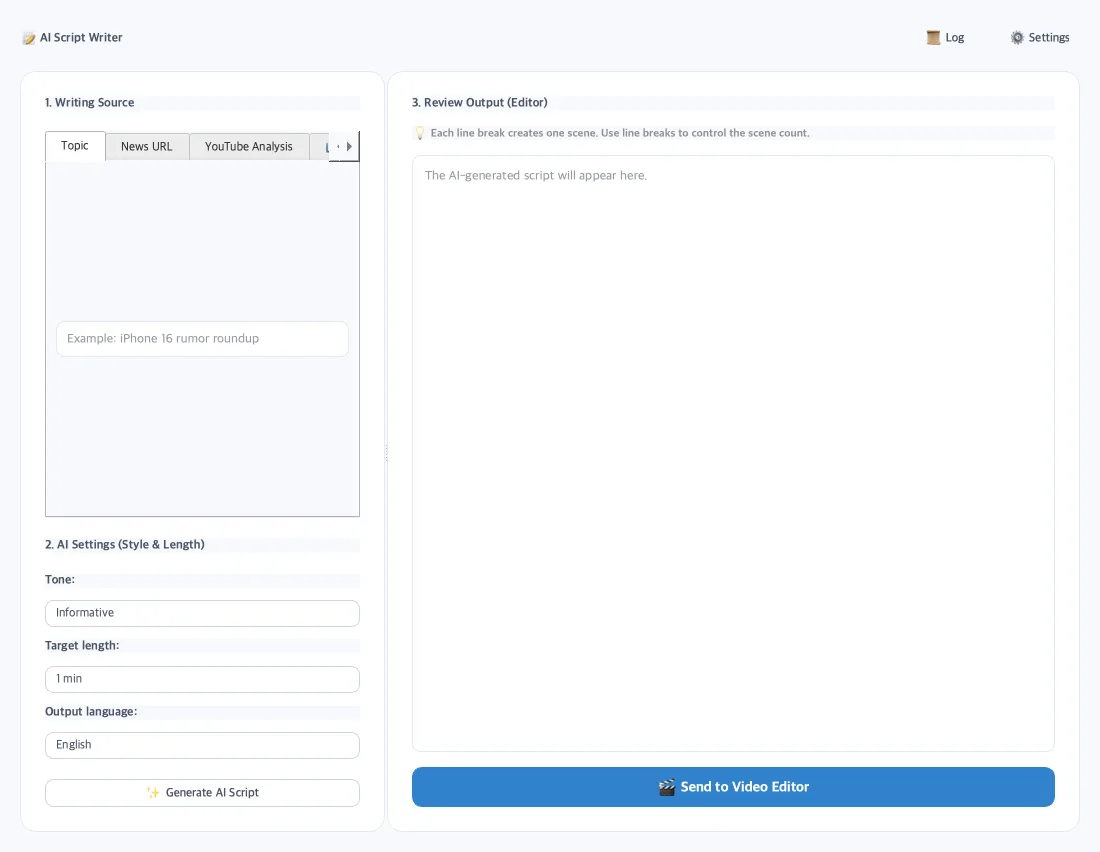
AI script writer screen

Script writer

Start with topics, URLs, news, or quotes.

Generate scripts from a topic, news URL, YouTube URL, or book quote brief, then refine line breaks before sending the text into the editor or automation pipeline as scene structure.

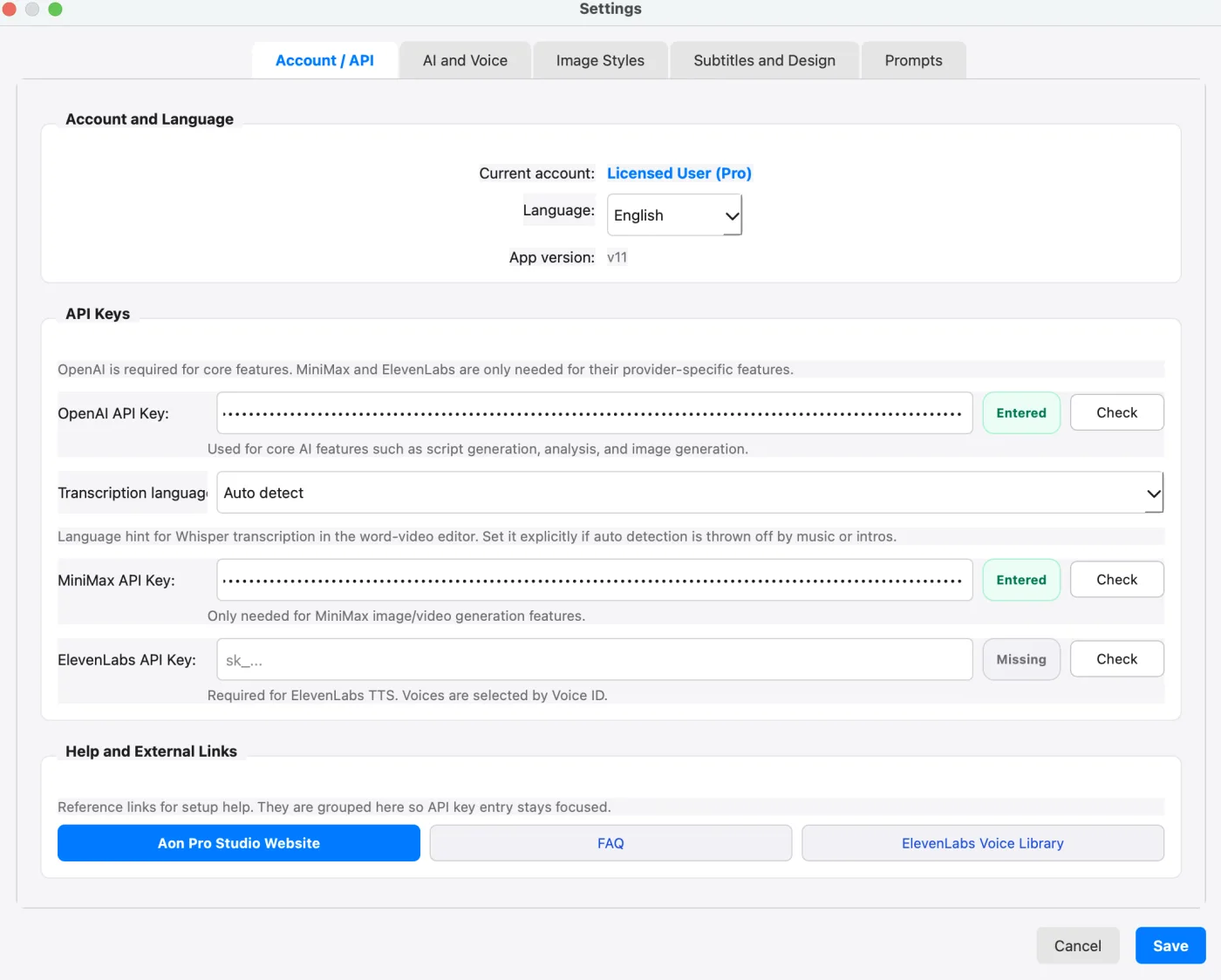
Aon Pro Studio settings screen with API key fields masked

Settings

Keep provider choice and costs in your hands.

Configure four API keys, the default voice, subtitles, prompt add-ons, the default image model (gpt-image-2, 1.5, 1-mini, or MiniMax image-01), the default I2V model, audio/subtitle defaults, and production preferences from the desktop app. You can check for a new version here too.

Voices · free voices + four TTS providers

Pick a free voice or one from four providers, and listen before you decide.

The voice picker is split into one tab per provider, each with its own search and filters. Load the list, play free samples, then choose - or paste a Voice ID for custom voices. You can set a default voice even before adding keys, and free voices need no key at all.

Free

Free voices

Made on your own computer with no API key and no charge. The voice model is downloaded once; 10 voices for Korean, English and Japanese. Works on Windows PCs and Apple silicon Macs.

  • No key needed
  • On your computer

Required

OpenAI

Standard voices. The same key powers scripts, images, transcription, and analysis.

  • Standard voices
  • One key to start

Optional · recommended

MiniMax

Higher-quality voices at a good price. The same key unlocks Hailuo 2.3 Fast, H3 and H3 Max image-to-video and the high-quality production mode.

  • Higher-quality TTS
  • I2V · H3 · H3 Max

Optional

ElevenLabs

Natural, expressive premium voices. Now picked from a list instead of a memorized Voice ID, with previews that cost no credits.

  • Premium voices
  • List picker

Optional

Typecast

Voice-actor style voices, especially strong in Korean. Preview free samples from the list before choosing. Korean, English, and Japanese are supported.

  • Korean voice actors
  • Free sample previews

Quick guide

A practical workflow for first-time users.

Aon Pro Studio is built for creators who need a clear path from idea to rendered video, while still keeping manual control close at hand.

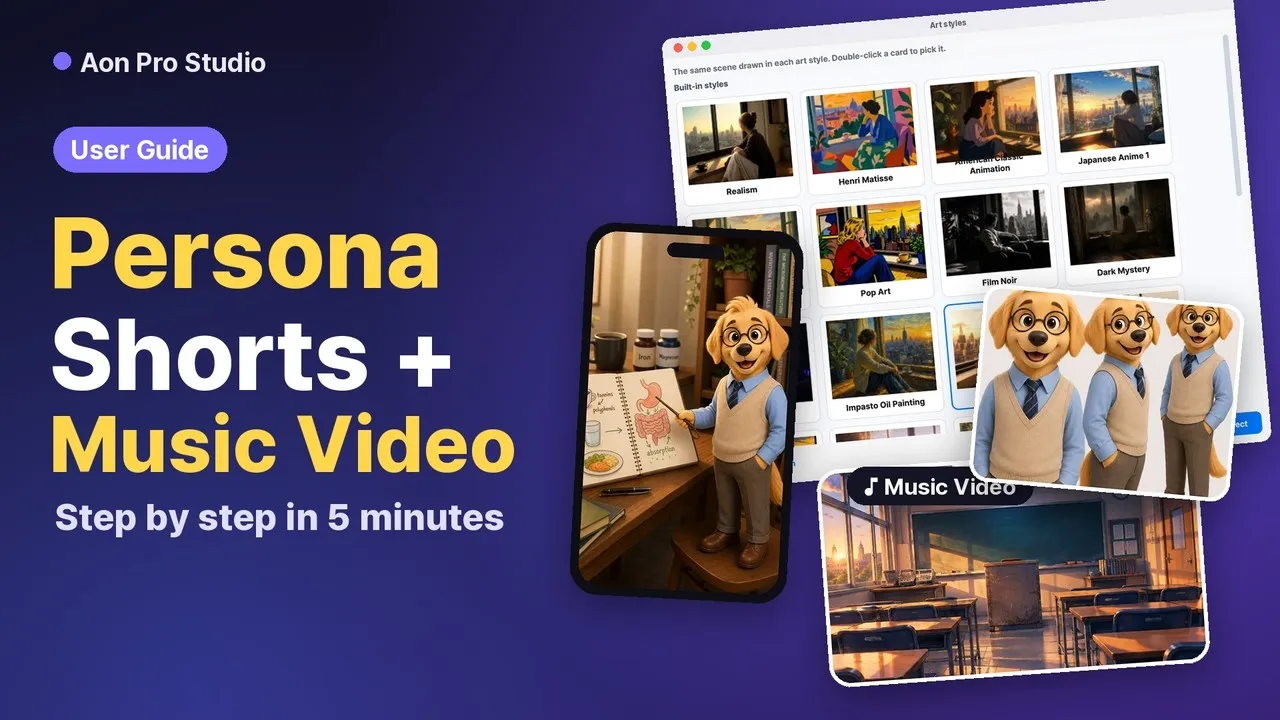
A Persona Short and a Music Video, each built step by step from the first input to the final render. Watch on YouTube
  1. 01

    Set up your API keys

    Add your required OpenAI key, then optionally add MiniMax, ElevenLabs, or Typecast for higher-quality TTS and MiniMax for image-to-video and the high-quality production mode. New to API keys? Follow the step-by-step key setup guide.

  2. 02

    Choose a production mode

    Open the editor, one-click, persona, or motion graphics mode, high-quality production mode, full automation, the script writer, or the AI Video Editor.

  3. 03

    Generate and review

    Review scripts, prompts, images, voices, subtitles, and scene structure before rendering.

  4. 04

    Render and export

    Export the finished video, AI-edited videos and Shorts, or a batch queue.